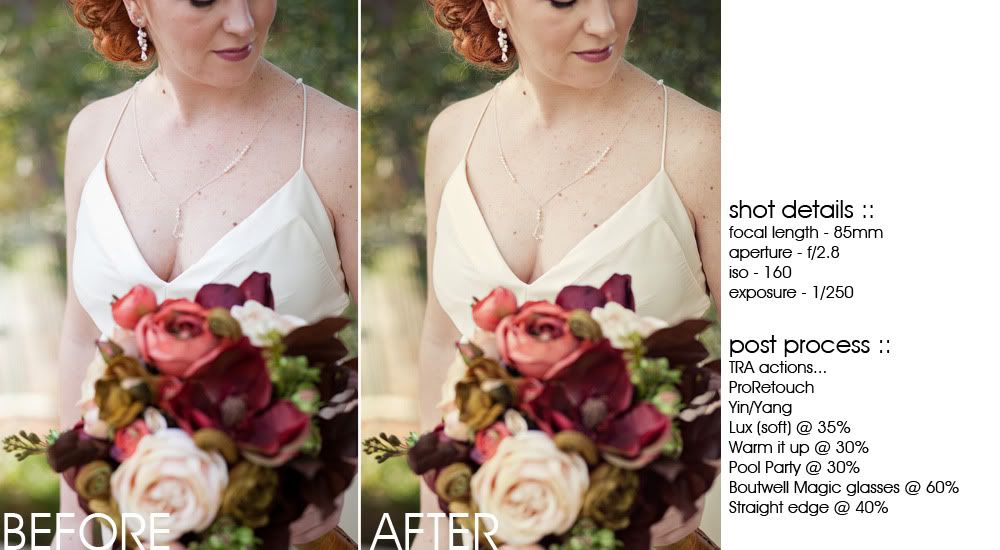
I just love it when photographers are bold enough to show their before and after shots; it can be a scary sort of thing to show people your straight out of camera (sooc) images, but it has help me immensely so I thought I do the same.
But, to start I do want to preface this show 'n' tell post with a few comments regarding post processing. If you are a photographer or even just an avid photoshop user then you are familiar enough with actions. That word - actions - for some reason has become this dirty, taboo word in the world of photography. I say... GET OVER IT! Actions are great; use them. It's NOT cheating if you know how to properly use actions to suit your own personal style and vision for the image(s).
Here's my argument... Sure, knowing how to accurately adjust and correct an image in Photoshop doing each step, one-by-one by yourself is great and all photographers should have that sort of knowledge as a resource. However, if an action can complete all those tedious steps for you and does exactly what you want it to do for an image and it gets you from point A to point B at just the click of a button then why wouldn't that be a good thing?! It just seems natural to me to utilize actions as a way to speed up your workflow - it's all about time management and efficiency for me.
Just remember there are always two sides to each coin and by that I mean there is no action in this world that will make up for a bad picture due to lack of camera know how, creative composition or photoshop knowledge. In my humble opinion it all starts with a good, correct exposure and proper white balance; just like in construction if you start with a solid foundation then what you build on top of it will stand strong.
Without further a do, here's a little glimpse into my post processing photo work...
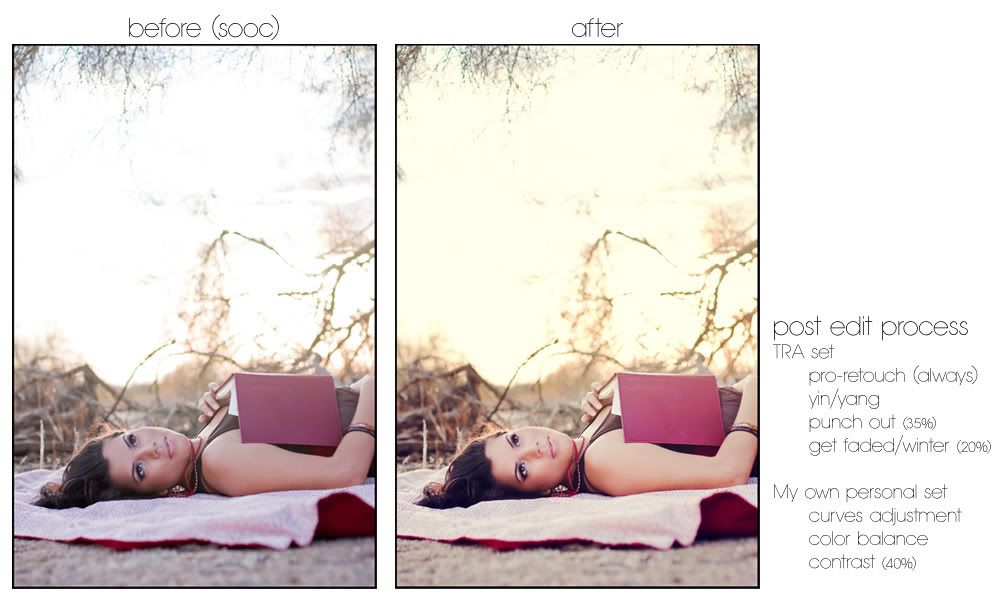
For this photo as soon as Tanya laid on the blanket I knew exactly what my vision was for this photo. So much of creating your own style and knowing what to do with an image comes from having a vision of what you want it to look like... which, believe me only comes from experience, creativity and shooting who ever and what ever as much as possible. In the photo above you can see that the SOOC isn't bad at all, but what I really wanted to create was a dreamy, ethereal image with a bit of a vintage feel. I just love the way it turned out.
Oh yeah, and for any other photographers be sure to check out this
Savvy blog, you won't be disappointed!